
Stream Deck
Lexicon has an official Stream Deck plugin. Download it from the Stream Deck page, which also has three ready-made layouts to copy and shows what they look like on a Stream Deck.
With this plugin, you can run any action that you can assign a keyboard shortcut to.
Examples of what you can do:
- Add certain tags to selected tracks
- Add selected tracks to one of your favorite playlists
- Set star rating or color on selected tracks
- Navigate through the Lexicon sidebar
- Jump to a cue
- Beat jump forward or backward
- Use a Ghost Curator suggestion as the next track
- Run a playlist tool, such as Merge or Sort
And much more.
Update the plugin for Lexicon 1.12
Lexicon 1.12 needs version 2 of the plugin. The older plugin can no longer control Lexicon: when it tries, Lexicon shows a message with a link to the new version. Download the new version from the Stream Deck page and install it over the old one. Your keys keep their actions.
The plugin needs Stream Deck 7.1 or newer.
Setting it up
The plugin talks to Lexicon through the Local API (Essential and Ultimate).
- In Lexicon, open Settings ➡
Local APIand tickLocal API Enabled. - Install the plugin from the Stream Deck page, add the
Send Actionkey to your Stream Deck and choose an action for it. - Press the key. Lexicon asks whether Stream Deck may control it. Click
Allow.
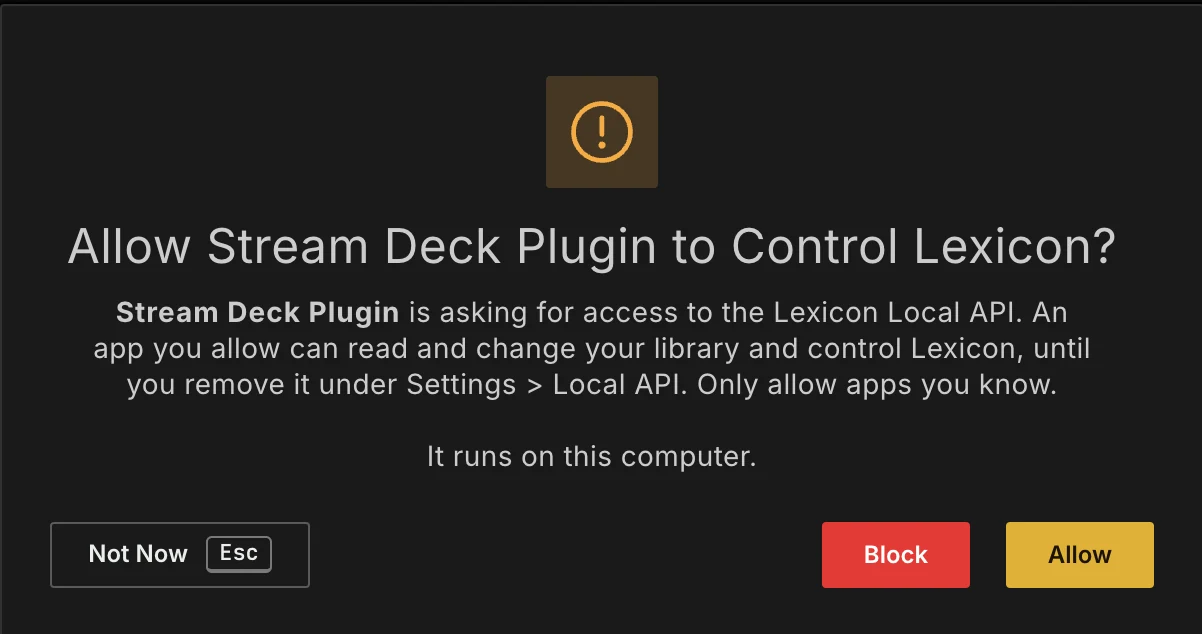
From then on the plugin works without asking again. It is listed as Stream Deck under Apps on the Local API settings page, where you can also block or remove it.
Port
If you changed the Local API port in Lexicon, enter the same port under Lexicon port in the settings of any Lexicon key. It applies to all keys. Leave it empty for the default port, 48624.
When a key does nothing
A key that can't reach Lexicon shows a warning sign. The Status line in the key's settings says why:
- Can't reach Lexicon: Lexicon is not running, the Local API is switched off, or the port in the plugin is not the one in Lexicon.
- Allow Stream Deck in the Lexicon popup: Lexicon asked, but nobody clicked
Allowyet. Press the key again and clickAllow. - Stream Deck is blocked in Lexicon: click
Unblocknext to Stream Deck under Settings ➡Local API.