
Store Links
You can find Store Links in the left sidebar menu, or in the top menu bar under
Go➡Store Links
With the Store Links feature you can quickly find pages where you buy tracks that you're looking for.
Currently searched on the following online stores:
- Beatport
- Apple Music (iTunes)
- Bandcamp
- Traxsource
Lexicon will do the boring and slow search process on multiple websites for you automatically.
The first time you open Store Links, a short intro explains what it does. Click Get started to go to the page. The page has three steps side by side: Add tracks, Choose stores and Search.
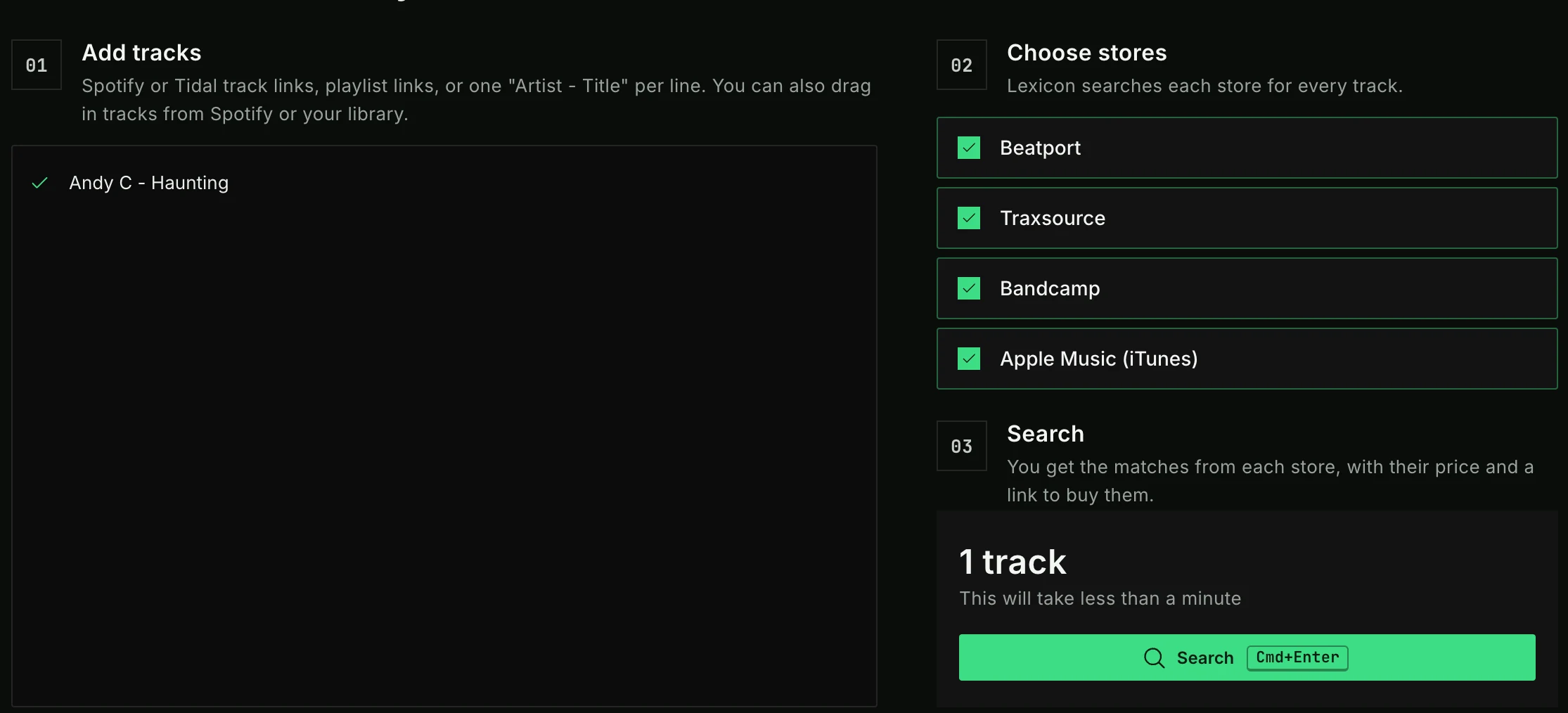
Add tracks
Paste everything into one box. You don't need to tell Lexicon what you are pasting, it recognizes each line by itself. You can paste:
- Spotify or Tidal track links
- playlist links from Spotify, Tidal, Apple Music, SoundCloud and YouTube. Lexicon reads the playlist and adds its tracks.
- lines of text in the form
Artist - Title, one track per line
You can also drag tracks straight from Spotify into the box, or drag tracks from your Lexicon track browser.
Each line gets a check mark or a cross next to it, so you can see which lines Lexicon understood. Below the box, a summary shows the number of valid lines and tracks. Invalid lines are skipped.
Choose stores
Tick the stores you want to search.
Search
Lexicon tells you roughly how long the search will take. Click Search to start.
You can also load tracks into Store Links from other places:
- The Track Matcher: load a Spotify or Tidal playlist or anything else, then use
Load into Store Linksfor the tracks that were not found in your library. - The Charts: select a chart and use
Load visible into➡Store Links.
Speed
Searching these stores is a slow process, roughly about 5 seconds per track. Results will be added as they come in.
Searches are executed in parallel to optimize the time it takes to get results. To speed up the results, turn off stores you don't use.
Results
Each track shows the matches from every store, with the store's logo, the price and a link to the store page. The cheapest price is shown in green. Click a row to open its store page.

Prices
Lexicon shows the prices for each track so you can make an informed decision where to buy your tracks. Prices are only shown for stores that make this information publicly available.
You can let Lexicon convert the currency of the prices automatically. Choose the currency with Display currency in the Lexicon settings, in the General section.
Note: Lexicon is not affiliated with any of the available stores and any price you see only exists to give you an indication. Lexicon cannot be held responsible if any information in the Store Links results (such as price) is inaccurate.