
Importing Your Rekordbox 5 Library
Lexicon does not have a direct connection to Rekordbox 5. To get your data out of Rekordbox, you need to export it as an XML file.
Follow these steps:
- Open Rekordbox
- Under the Advanced tab in the Rekordbox preferences, make sure the
BPM change pointsoption is enabled. - In the File menu, select
Export Collection in xml format
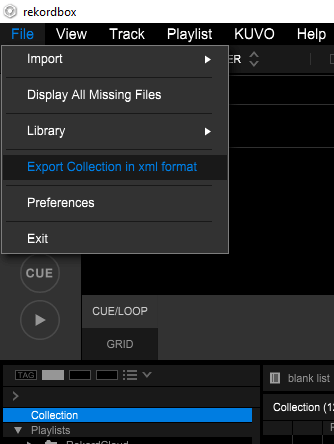
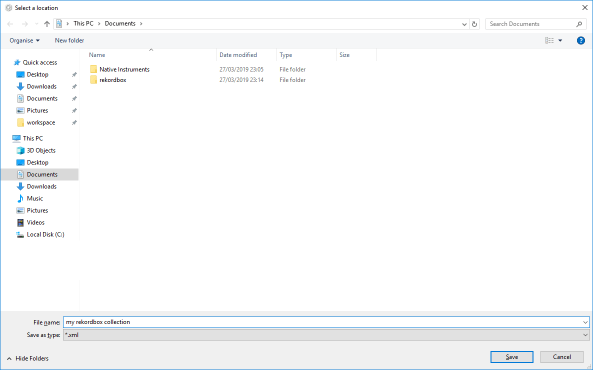
- Save your collection XML anywhere you want
- Open Lexicon
- Click
Importat the bottom of the sidebar (above theSync to DJ appbutton), or useFile➡Import from…in the top menu bar - Choose
Rekordbox 5underImport fromand select the XML file you saved underRekordbox file (XML) - Leave the other options at their defaults
- Click
Start importing - Start using Lexicon!