
Convert your Engine DJ library to Rekordbox with Lexicon. Playlists, hot cues, beatgrids, and tags transfer. Free, Windows and macOS.
Applies to any recent Engine DJ (desktop or Denon-hardware library) → Rekordbox 6 or 7. Rekordbox 5 works via XML.
Requirements
You need to have these installed:
- Engine DJ Desktop (or a USB/Denon library read from a connected drive)
- Rekordbox 6 or 7, launched at least once
- Lexicon - free for library conversion
Lexicon runs on Windows and macOS.
Steps to convert Engine DJ to Rekordbox
The process has two parts: import your Engine DJ library into Lexicon, then sync it to Rekordbox.
Part 1 - Import from Engine DJ
- Close both Engine DJ and Rekordbox completely. Background processes must terminate for the databases to be readable.
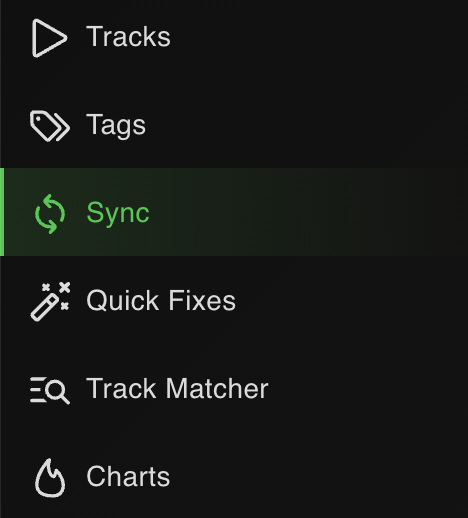
- Open Lexicon and go to the Sync page.
- Click
Import tracks & playlistsat the bottom.

- Choose Engine DJ from the dropdown. Lexicon auto-detects the database.

- Leave
Fullselected to import your entire library.

- Click
Start importing. Your Engine DJ library now lives in Lexicon.

Part 2 - Sync to Rekordbox
- Go back to the Sync page (don't click Import again).
- Choose Rekordbox from the dropdown. Lexicon auto-detects the Rekordbox database.

- Leave
Fullselected. Leave the other options on their defaults.

- Click
Sync to Rekordbox. Wait for it to finish.

When it completes, open Rekordbox and your full library is there - playlists, cues, beatgrids and tags intact.
What transfers from Engine DJ to Rekordbox
| Item | Transfers | Notes |
|---|---|---|
| Playlists & folder structure | Yes | Engine DJ playlists become Rekordbox playlists. On import you can choose Playlists or Crates as the source structure. |
| Smart playlists | As intelligent playlists | Engine DJ smart playlists pass through Lexicon as smartlists and sync to Rekordbox intelligent playlists. |
| Tracks in parent folders | As _FolderTracks playlist |
Engine DJ allows tracks directly inside a folder; Rekordbox doesn't. Lexicon collects them into a per-folder _FolderTracks playlist. |
| Hot cues | Yes (up to 8) | Both apps support 8 hot cues. |
| Cue colors | Yes | Engine DJ stores cue colors; Rekordbox displays them after sync (via the Direct method). |
| Memory cues | Optional | Rekordbox is the only DJ app with memory cues. Enable memory cue support in Lexicon to distribute cues between hot and memory slots. |
| Track colors | Not stored in Engine DJ | Engine DJ has no native track color field, so there's nothing to transfer unless you've stored colors via a Field Mapping. |
| Beatgrids | Yes | Beatgrid markers and BPM transfer via the Direct method. |
| Loops | Yes | Rekordbox supports one active hot loop and one active memory loop. |
| Track metadata | Yes | Title, artist, album, genre, BPM, key, comments, ratings, custom tags. |
| Album art | Yes | Embedded art transfers. Note: Rekordbox does not support album art for WAV files. |
Notes specific to Engine DJ → Rekordbox
Import from desktop, USB, or connected hardware
Lexicon reads Engine DJ libraries from the desktop app, a connected USB drive, or directly from Denon hardware in Computer Mode. Pick the right source when you start the import.
Engine DJ track colors aren't native
Engine DJ has no native track-color field. If you've been using a Field Mapping to store colors in a comment/custom tag, reverse the mapping in Lexicon to bring those colors back as real color labels before syncing to Rekordbox.
Direct vs XML sync for Rekordbox
Use the Direct method for Rekordbox 6/7 - it preserves cue colors and intelligent playlists. XML is required only for Rekordbox 5.
Tracks placed directly in Engine DJ folders
Engine DJ allows tracks directly in parent folders. Rekordbox doesn't. Lexicon collects them into a per-folder _FolderTracks playlist.
Remote Library is not supported
Engine DJ's Remote Library feature isn't supported by Lexicon. Tracks must be locally accessible to Engine DJ when imported.
Sync Manager incompatibility
Rekordbox's own Sync Manager can conflict with Lexicon by creating duplicates or ignoring field updates. Right-click playlists in Rekordbox to export to USB manually instead.
Close Rekordbox completely
Rekordbox leaves rekordbox and rekordboxAgent processes running after you close the window. Force-quit them if Lexicon's sync hangs.
Frequently asked questions
Is converting Engine DJ to Rekordbox free?
Yes. Library conversion in Lexicon is 100% free: it's part of the free plan, not a trial, and no credit card is required. You only pay if you choose to upgrade for Lexicon's library management tools.
Can I import directly from my Denon hardware's USB?
Yes. Put the device or USB into Computer Mode, then select it as the import source in Lexicon.
Will Engine DJ cue colors appear in Rekordbox?
Yes via the Direct sync method. Cue colors carry across and display in Rekordbox.
What happens to smart playlists?
They become Rekordbox intelligent playlists via Lexicon smartlists and the Direct sync method.
Why do I see a _FolderTracks playlist in Rekordbox?
Engine DJ allows tracks directly inside a folder; Rekordbox doesn't. Lexicon preserves them by collecting into a _FolderTracks playlist per folder.
Do I need the XML method?
Only for Rekordbox 5. Rekordbox 6 and 7 use the faster, more complete Direct method.
Does this work on macOS?
Yes. The process is identical on Windows and macOS.
Other conversion guides
Converting from a different app, or to a different app?
Thoughts? Questions? Share them on the forum or chat about them on Discord.