
Convert your djay Pro library to Traktor Pro with Lexicon. Playlists, hot cues, beatgrids, and tags transfer. Free, Windows and macOS.
Applies to any recent djay Pro → Traktor Pro 3 or 4. Traktor DJ is not supported.
Requirements
You need to have these installed:
- djay Pro
- Traktor Pro 3 or 4, launched at least once
- Lexicon - free for library conversion
Lexicon runs on Windows and macOS.
Steps to convert djay Pro to Traktor
The process has two parts: import your djay Pro library into Lexicon, then sync it to Traktor.
Part 1 - Import from djay Pro
- Close both djay Pro and Traktor completely. Background processes must terminate for the databases to be readable.
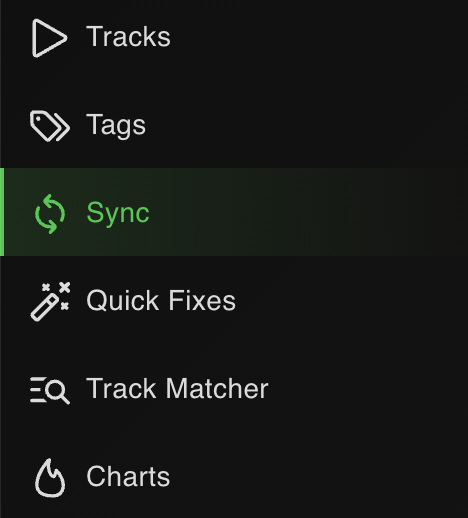
- Open Lexicon and go to the Sync page.
- Click
Import tracks & playlistsat the bottom.

- Choose djay Pro from the dropdown. Lexicon auto-detects the database.
- Leave
Fullselected to import your entire library.

- Click
Start importing. Your djay Pro library now lives in Lexicon.

Part 2 - Sync to Traktor
- Go back to the Sync page (don't click Import again).
- Choose Traktor from the dropdown. Lexicon auto-detects the Traktor database.

- Leave
Fullselected. Leave the other options on their defaults.

- Click
Sync to Traktor. Wait for it to finish.

When it completes, open Traktor and your full library is there - playlists, cues, beatgrids and tags intact.
What transfers from djay Pro to Traktor
| Item | Transfers | Notes |
|---|---|---|
| Playlists & folder structure | Yes | Your playlist hierarchy is preserved in Traktor. |
| Hot cues | Yes | Hot cues transfer with labels. Up to 8 cues per track in most apps. |
| Cue colors | Yes | Cue colors are preserved when both apps support them. |
| Beatgrids | Yes | Beatgrid markers and BPM transfer. |
| Loops | Yes | Saved loops carry across. |
| Track metadata | Yes | Title, artist, album, genre, BPM, key, comments, ratings, custom tags. |
| Album art | Yes | Embedded artwork transfers. |
| Streaming tracks | Conditional | Streaming tracks only transfer if the local files are available or the target app supports the same streaming service. |
Notes specific to djay Pro → Traktor
Close both apps completely
Make sure djay Pro and Traktor are fully closed before importing or syncing. Background processes can lock the database and cause the sync to hang.
Streaming tracks
djay Pro and Traktor may handle Tidal, SoundCloud, or other streaming libraries differently. Local files always transfer. Streaming tracks need the same service enabled in the target app.
Traktor has no colored cue points - Lexicon keeps the color data for future round-trips to other apps.
Frequently asked questions
Do cue points keep their colors?
Yes, when both apps support colored cue points. Lexicon stores color data even if the target app does not display it, so colors return on future round-trips.
Will streaming tracks transfer?
Local files always transfer. Streaming tracks only come through if the files are available locally or the target app supports the same streaming service.
Does this work on macOS?
Yes. The process is identical on Windows and macOS.
Can I sync back to djay Pro later?
Yes. Run Traktor to djay Pro to sync changes back.
Other conversion guides
Converting from a different app, or to a different app?
Thoughts? Questions? Share them on the forum or chat about them on Discord.