
After months of beta testing, Lexicon 1.7.0 has been released! This release is pretty wild with some really great new features and countless bug fixes and small improvements. Let's take a look!
BPM & Beatgrid Analyzer
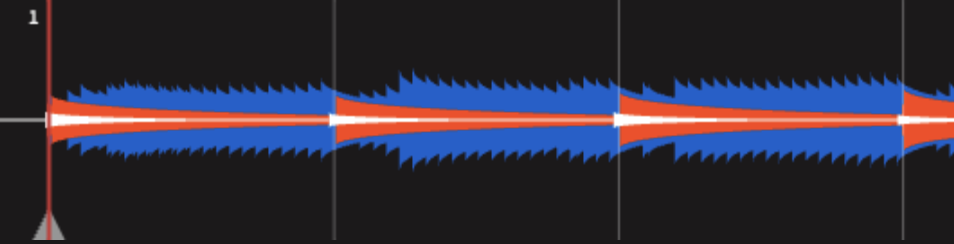
The BPM & beatgrid analyzer has been completely replaced with a new analyzer, built from the ground up. This new analyzer has been made completely custom for Lexicon and is much more accurate and reliable.
Mobile App
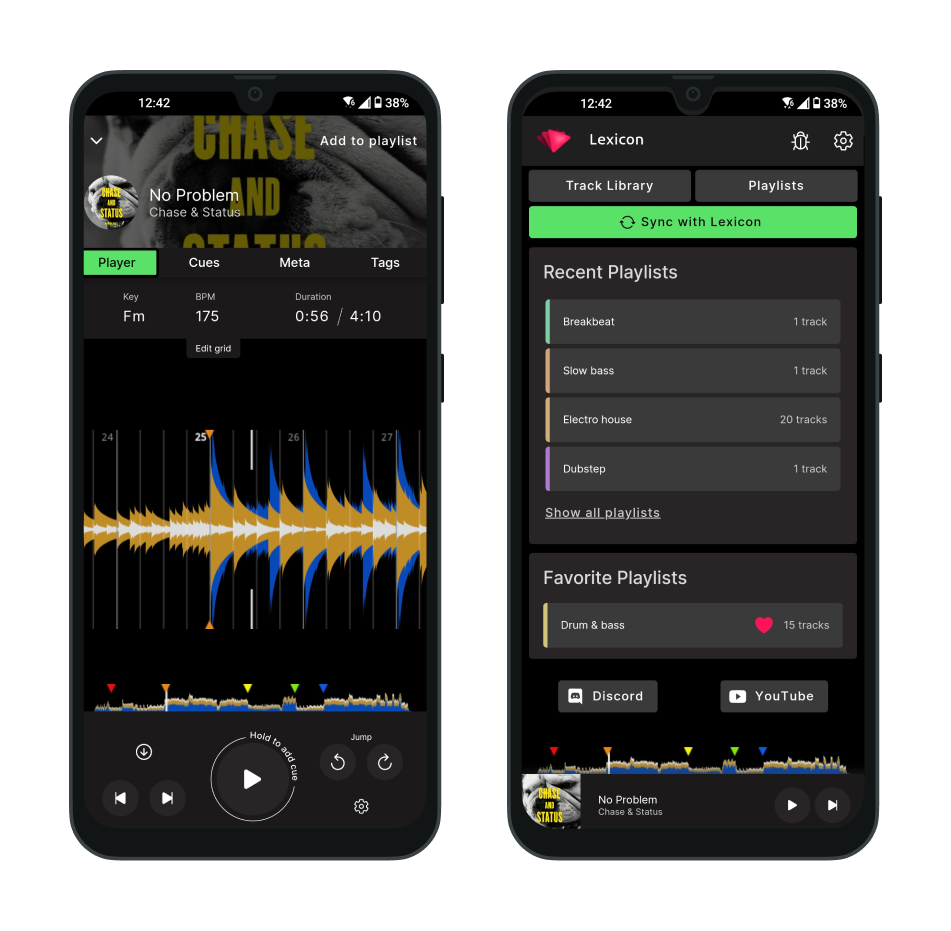
The mobile app has officially released and is now available on the Play Store and App Store.
After a year in beta, version 1.0 is ready for all Lexicon subscribers. You can set cues and beatgrids, create playlists and update tags all on the go now.
Plugin System
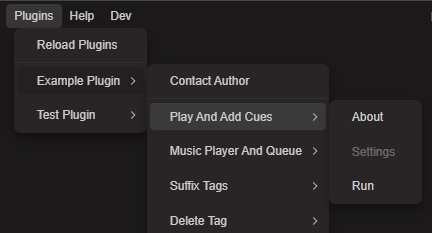
This was an unplanned addition, but I just had so much fun building it that I really wanted to add the plugin system for all developers out there.
With plugins, any developer can use JavaScript to change your Lexicon library, so if something was not yet possible in Lexicon, you can probably build it now! There are lots of example plugins to learn from and even a simple ChatGPT plugin to take inspiration from. :) Happy coding!
SoundCloud Support
SoundCloud streaming tracks are now fully playable! That means you can now set your cues on them too, since the entire track is available, the same as in your DJ apps.
If you want to add new SoundCloud tracks to Lexicon, you can now do that by copy pasting links into Lexicon. So use the SoundCloud website to find music and paste the website links into Lexicon, easy!
Countless Fixes & Quality of Life Changes
As always, fixing bugs is top priority. Like all big release, this release has countless bug fixes and small quality of life upgrades to make using Lexicon just a bit more pleasant.
Thanks to everyone for all the feedback and beta testers ❤️
---
Work continues, more upgrades coming soon...
