
OpenKeyScan: Free, Accurate Key Detection for Your DJ Library
If you've ever had a mix go sideways because the key tags on your tracks were wrong, you know how important accurate key detection is. Harmonic mixing only works when the keys are right — and the built-in key detection in most DJ apps doesn't always get there.
That's where OpenKeyScan comes in. It's a free, open-source key analyzer that rivals the most accurate tools on the market — and it integrates directly into Lexicon.
In this post, I'll explain what OpenKeyScan is, how accurate it really is, and how you can use it to upgrade the key tags across your entire library.
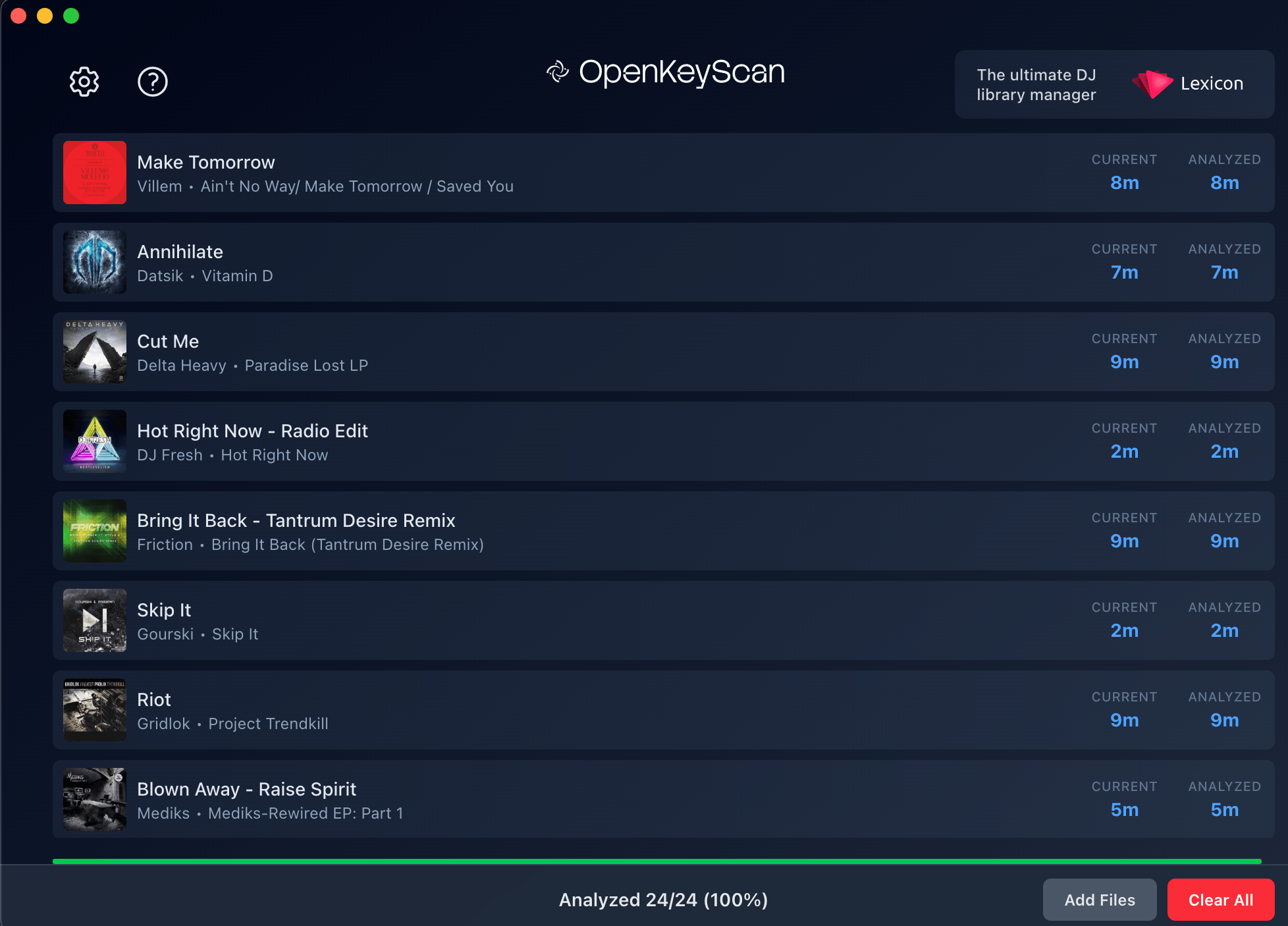
What Is OpenKeyScan?
OpenKeyScan is a standalone key detection tool built specifically for DJs and producers. You give it your audio files — MP3, FLAC, WAV, AIFF, M4A, AAC, OGG — and it analyzes each track to determine the musical key.
Under the hood, it converts your audio into a spectrogram (a visual representation of sound) and runs it through a Convolutional Neural Network (CNN). Think of it as an AI that has been trained to recognize harmonic patterns, chord progressions, and tonal textures across thousands of tracks. The result is a fast, reliable key tag written directly to your file's metadata.
It supports Open Key notation, Alphanumeric, and traditional notation — so you can work with whatever system you prefer.
How Accurate Is It?
This is the question that matters most. A key analyzer is only useful if you can trust its results.
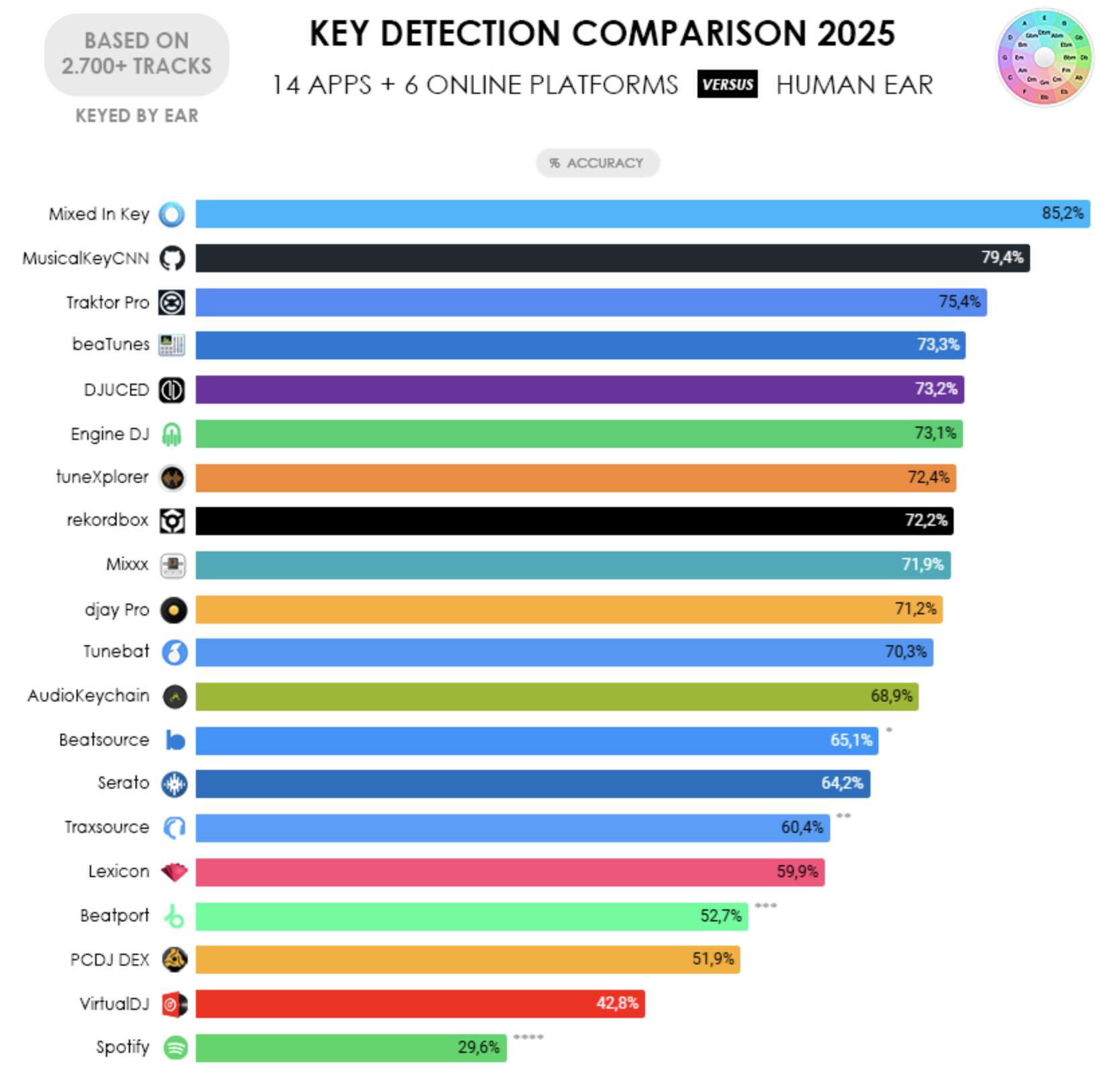
In independent community tests — run across thousands of tracks that were keyed by ear — OpenKeyScan consistently performs at the very top of all tested tools. It matches or outperforms the industry-leading paid key detection software and significantly outperforms the built-in key detection found in Rekordbox, Serato, and Traktor.
The chart below is based on a 2025 community comparison of 14 desktop apps and 6 online platforms, tested against over 2,700 tracks verified by human ear. OpenKeyScan is build with MusicalKeyCNN and improved beyond that.
Speed and Performance
Accuracy is one thing — but if a tool takes forever to analyze your library, it's not going to fit into your workflow. OpenKeyScan is designed for speed.
It uses multi-core processing to analyze hundreds of tracks per minute. On modern hardware, each track takes under a second. That means you can re-analyze your entire collection in a single session, even if your library runs into the tens of thousands.
Compared to the industry-leading paid alternative — which is known to be slow during batch processing — OpenKeyScan is significantly faster. And compared to built-in DJ app analyzers, it holds its own or beats them outright.
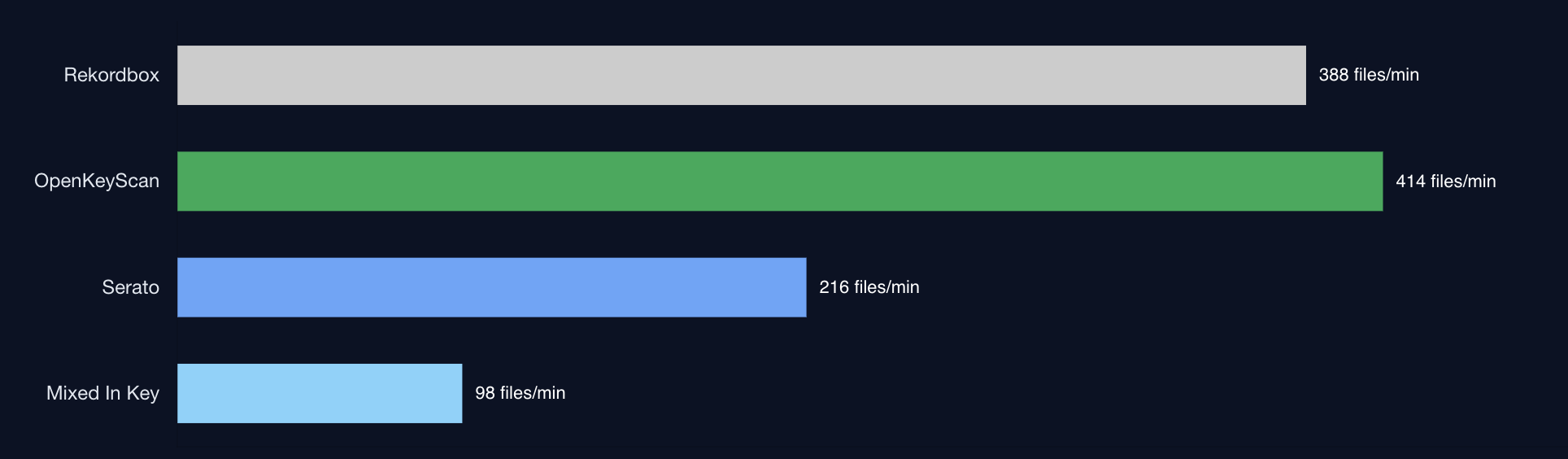
Whether you've got 500 tracks or 50,000, OpenKeyScan gets through them fast.
Using OpenKeyScan on Its Own
OpenKeyScan works as a completely standalone app. You don't need Lexicon or any other tool to use it. Just download it from openkeyscan.com, drop in your files or folders, and hit analyze.
Once analysis is complete, OpenKeyScan writes the detected key directly into each file's metadata tags. That means any DJ software that reads standard key tags — Rekordbox, Serato, Traktor, VirtualDJ, Engine DJ — will pick up the results automatically the next time you load those tracks.
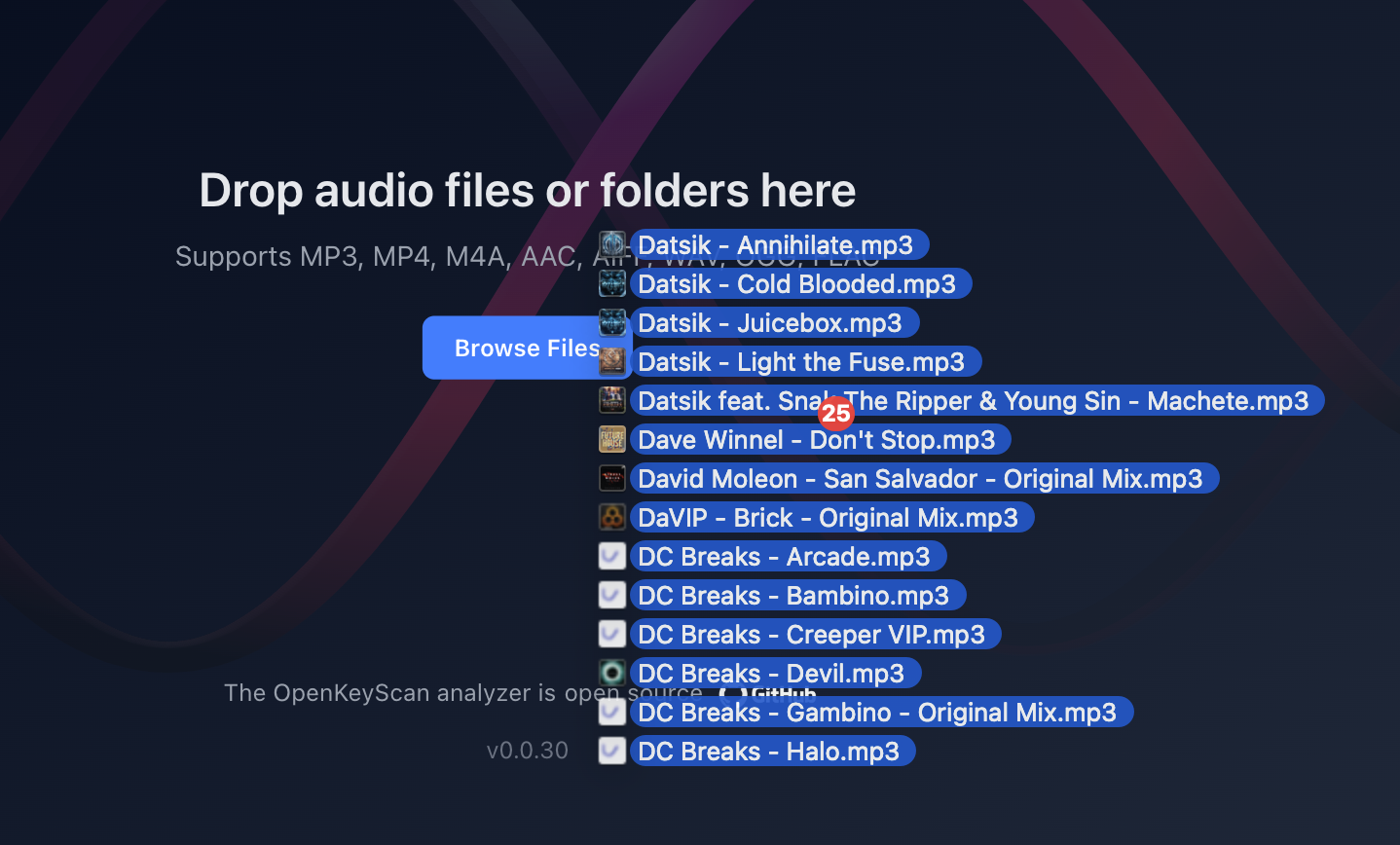
It runs 100% offline on your machine. No files are uploaded anywhere, and there's no account to create.
Why isn't this the default key engine in Lexicon?
OpenKeyScan is trained with a neural network and in order to analyze keys with it on your computer, it requires a large download. To avoid making the Lexicon download much bigger for everyone, this way it's opt-in and anyone can decide if they want to use it or not.
And the other reason is that now OpenKeyScan can be used by anyone, with or without Lexicon.
How OpenKeyScan Integrates with Lexicon
If you're already using Lexicon to manage your library, you can run OpenKeyScan directly from inside the app — no need to switch between tools.
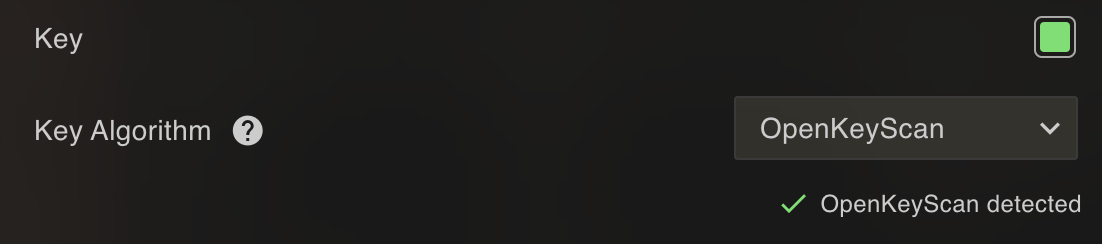
Lexicon has built-in support for OpenKeyScan as a key detection engine. When you analyze tracks in Lexicon, you can select OpenKeyScan as the analyzer and it will handle the key detection for you. The results are stored in Lexicon and synced to your DJ app along with everything else.
This makes it easy to combine OpenKeyScan's accuracy with Lexicon's library management. You can batch analyze new imports, re-analyze tracks that had incorrect keys, or upgrade your entire library — all from within Lexicon.
Step 1: Open the Analyze Tool
Select the tracks you want to analyze in Lexicon, then open the analyze tool.
Step 2: Choose OpenKeyScan
In the analysis settings, select OpenKeyScan as the key detection engine. Make sure "Key" is enabled in the analysis options.
Step 3: Run the Analysis
Click start and let it run. You'll see the progress as each track is analyzed. Once it's done, your tracks will have updated key tags.
Step 4: Sync to Your DJ App
Head to the Sync page and sync your library back to your DJ app. The updated keys will carry over along with all your other track data — cue points, playlists, ratings, everything.
That's it. Your entire library now has accurate key tags, ready for harmonic mixing.
Why This Matters for Your Mixes
Harmonic mixing depends entirely on having correct key information. Even a single wrong key tag can throw off a transition. When you're playing live and trusting the key data on screen, you need it to be right.
With OpenKeyScan — whether you run it standalone or through Lexicon — you get key tags you can actually trust. That translates to:
- Smoother, more musical transitions
- More confidence when selecting tracks on the fly
- Cleaner mashups, edits, and blends
- Less time second-guessing and more time focused on track selection
BPM Detection
Getting Started
OpenKeyScan is available for Windows and macOS. You can download it for free at openkeyscan.com.
If you're a Lexicon user, just make sure you're on the latest version — OpenKeyScan integration is built right in. Select it as your key detection engine and start analyzing.
If you want to see the full benchmark data and accuracy comparisons, check out the OpenKeyScan benchmarks page.
